Direct Acquisition Flow

Direct plan purchase instead of a forced 30-day trial

ProvenExpert's Performance Marketing team wanted a new path for paid traffic: skip the 30-day trial, let visitors pick a plan and check out right away. I led the project, designed the landing page, and directed the visuals. The page now replaces the old website as the entry point for paid campaigns.

Client

ProvenExpert

Role

Art Direction & UX/UI

Focus

Conversion & Strategy

Year

2026
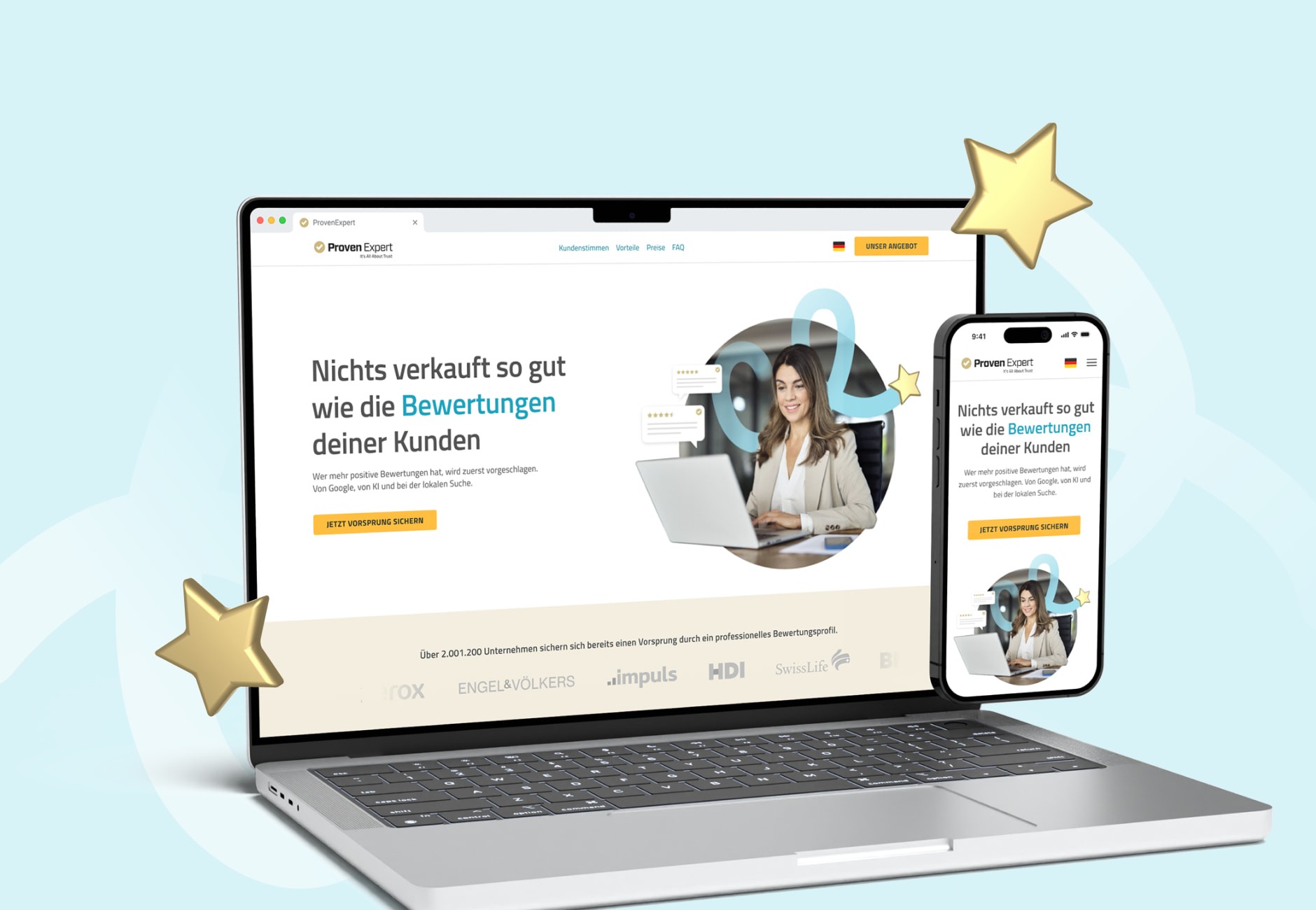
Desktop and mobile mockup of the ProvenExpert landing page with hero headline, portrait photo, and orange CTA.

The Business Problem

If you wanted to buy a plan on ProvenExpert's website, you couldn't — not directly. The old flow routed everyone through a generic registration page built around the 30-day free trial. Only weeks later, once the trial ended, did users face a second buying decision. A lot of them never made it that far.

Pay first, register later

The Performance Marketing team proposed flipping the order: check-out first, then account setup. They compared two flow options and picked the one where users pay before registering — registering first risked losing people mid-signup. I designed the landing page and the purchase experience that sits on top of that flow.
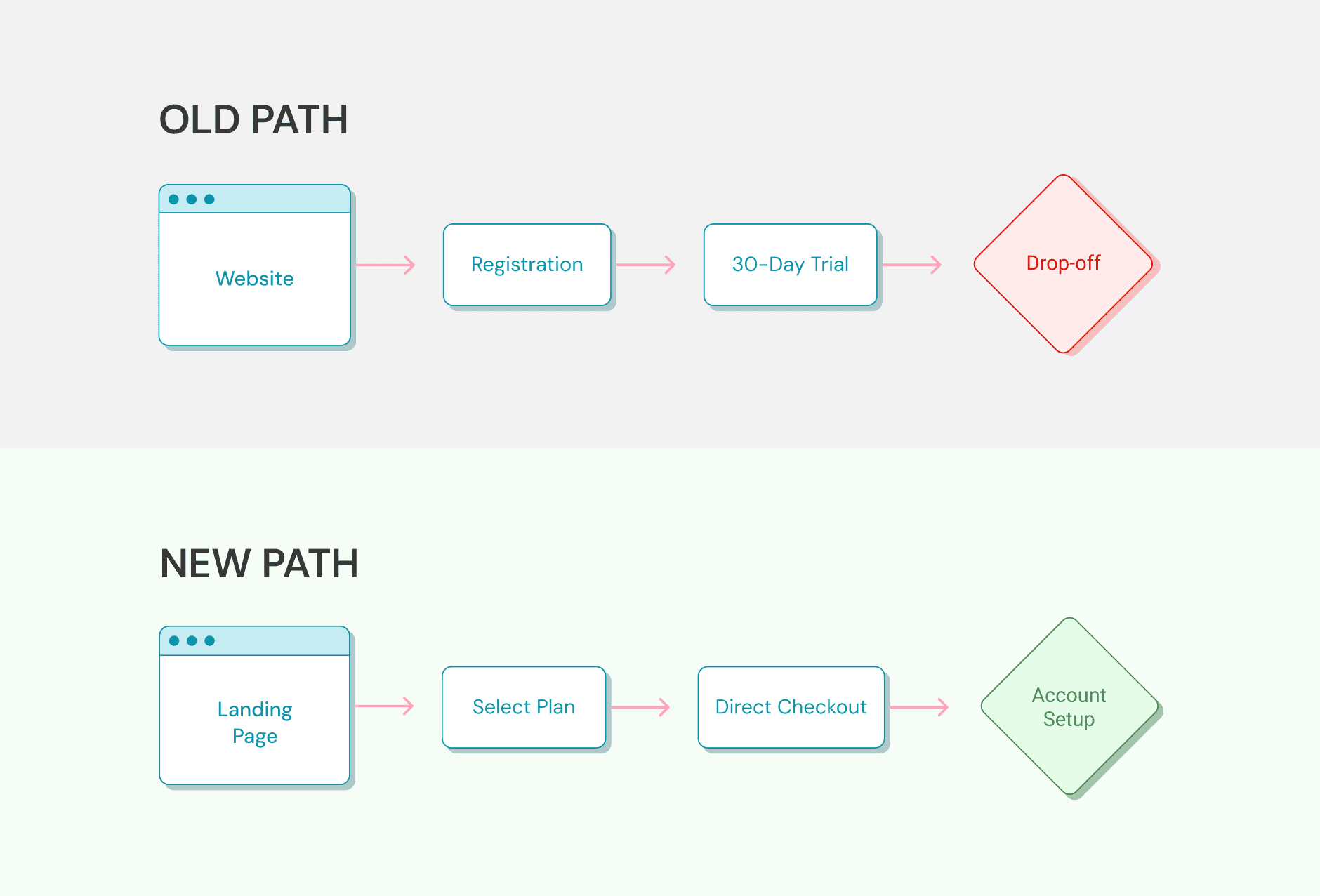
Flow comparison: old path ending in drop-off after a 30-day trial versus new path with direct checkout and account setup.

Conversion-Driven UI

I designed the page around one decision: which plan to pick. Both hero CTAs anchor to the pricing section, so users land on the three tiers without scrolling for them. The Plus card is color-highlighted as the recommended option — the Isolation Effect pulls the eye without forcing a default. FAQ and social proof sit below."
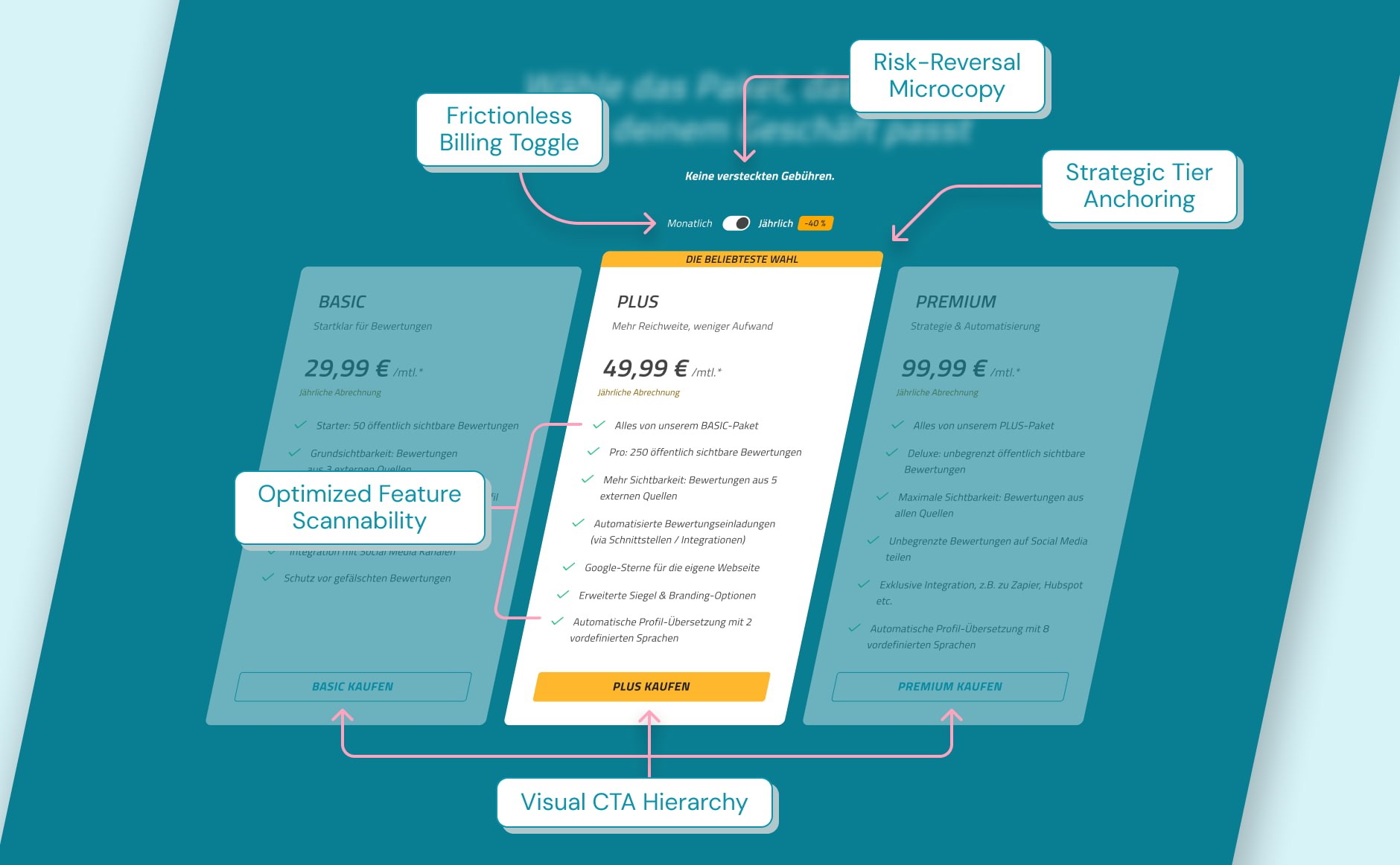
Pricing section with Basic, Plus, and Premium tiers, billing toggle, and annotated UX decisions.

Component Architecture

I built the page on our internal Design System, which gave me brand consistency by default and room to iterate on the funnel-specific parts. Pricing cards with a billing toggle, the FAQ accordion, and the AccordionItem component for the benefits section were custom work — everything else came from the library. All of it holds up at desktop, tablet, and mobile.
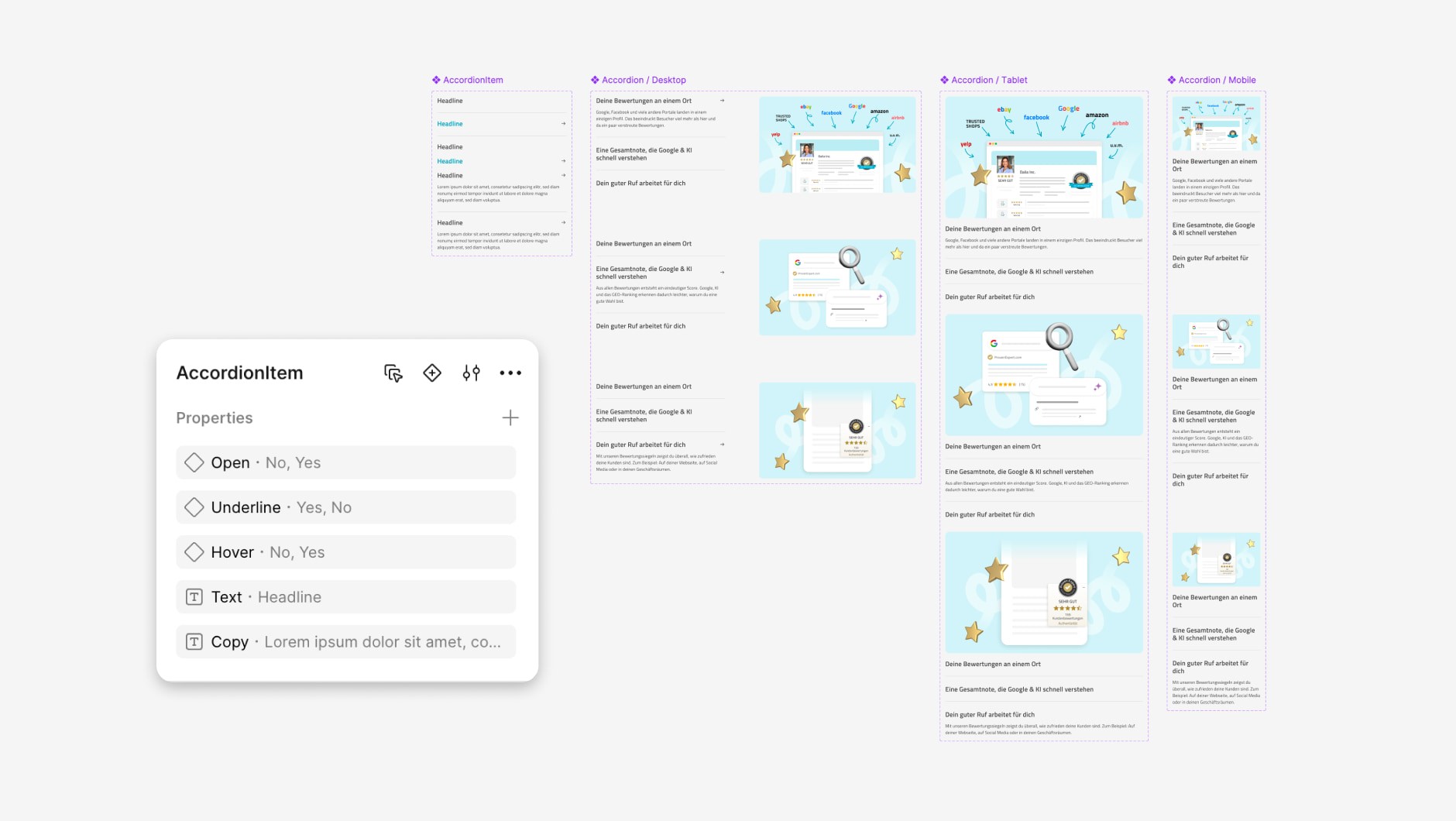
Figma "AccordionItem" component with properties panel alongside FAQ variants for desktop, tablet, and mobile.

Implementation & Art Direction

For the dev handoff I wrote a detailed Confluence doc covering component specs, edge cases, and interaction states — the frontend team still uses it as their reference. I also led the art direction, briefing a visual designer on the illustrations and animations that give the page its character.
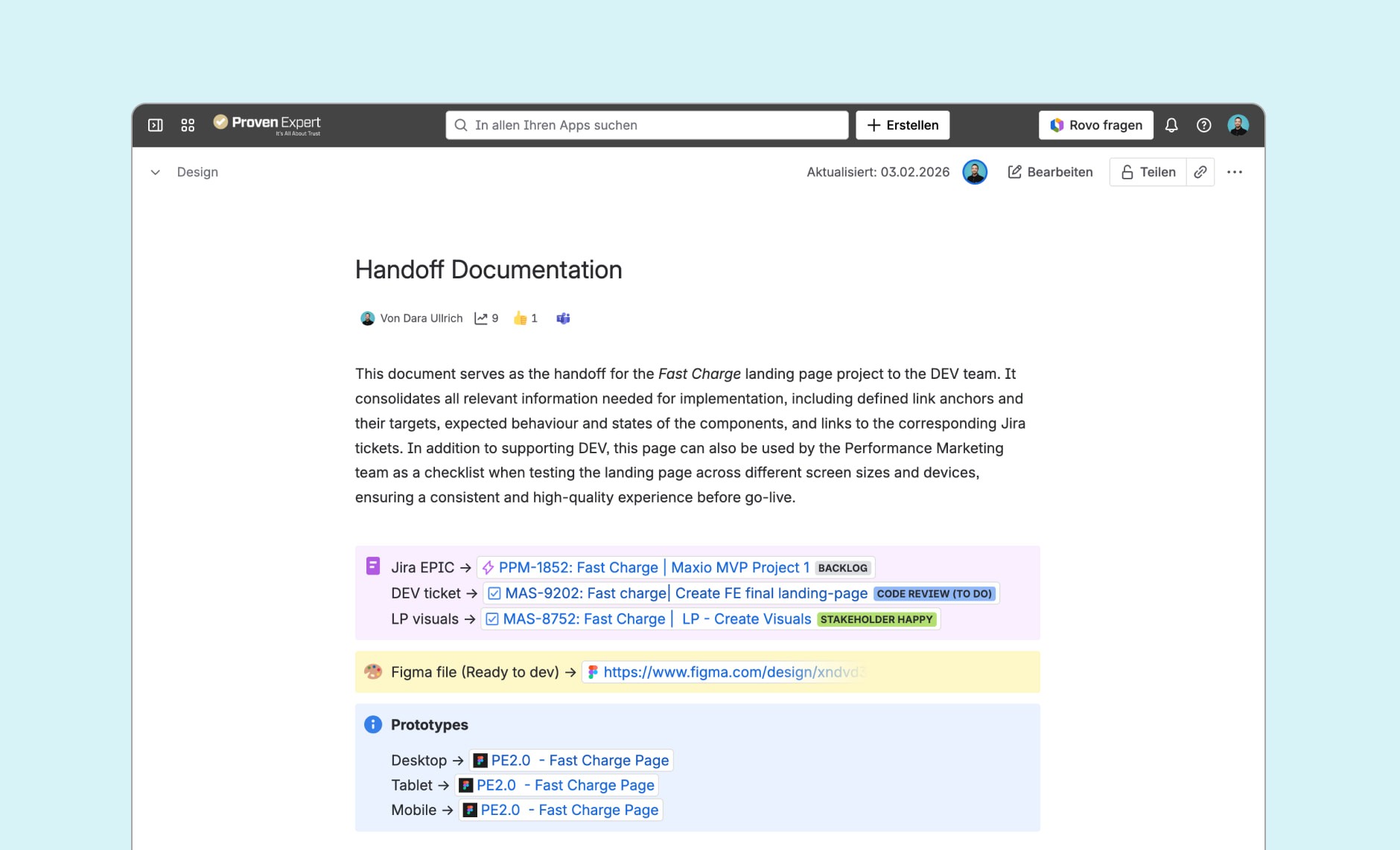
Confluence "Handoff Documentation" page with linked Jira tickets, Figma file, and prototype links per breakpoint.
Animated hero graphic: circular portrait of a woman at a laptop, two 5-star review cards popping in, blue swirl behind.
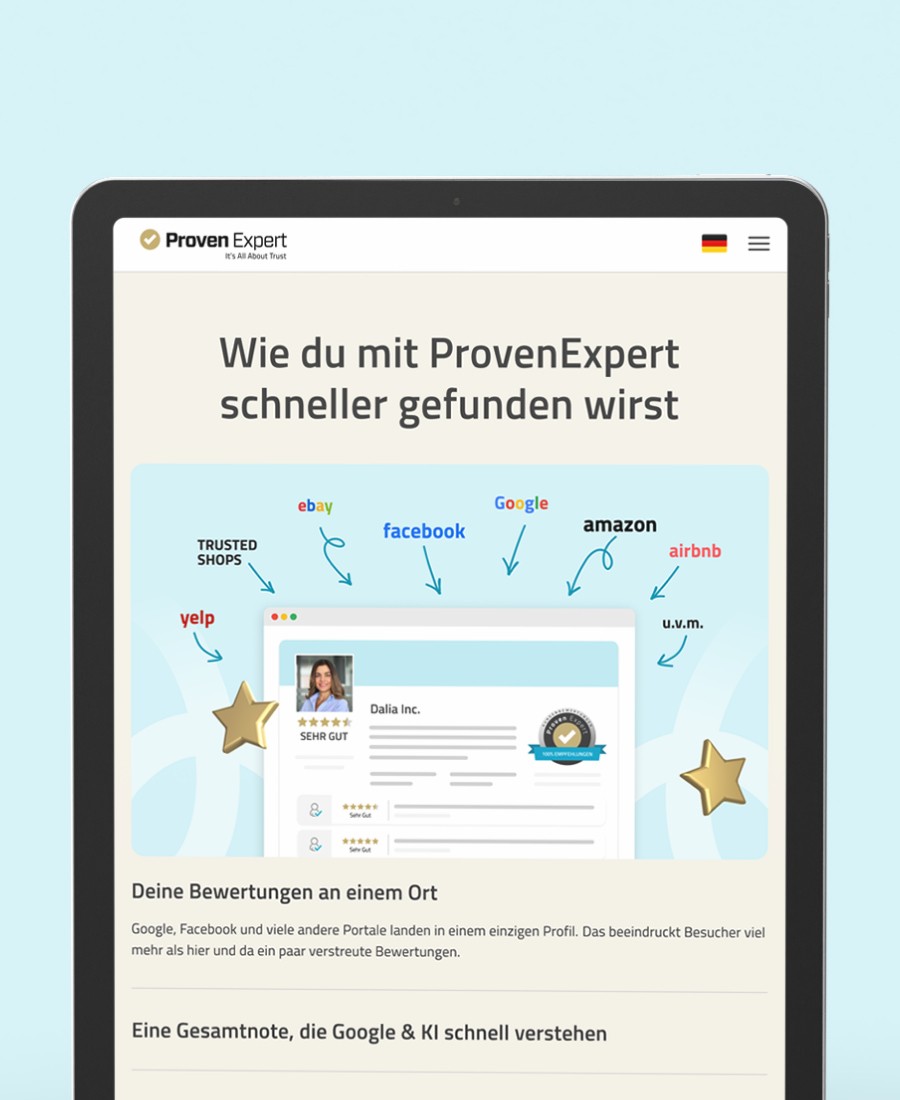
Tablet mockup of the "Wie du mit ProvenExpert schneller gefunden wirst" section with external review platform logos.

Running the project

As project lead, I set up three things that kept the work moving. First drafts went into Figma Make right after the kickoff meeting, so the next alignment round had something concrete to react to instead of a blank page. All copy- and content-related questions went into a dedicated Outlook Teams channel so every ask was visible in one thread instead of scattered across meetings. And a Confluence page tracked every open alignment topic — from the topbar CTA wording to the legal disclaimer on the pricing page — so nothing fell between meetings. The page is now live at provenexpert.com/de-de/sofort-starten/.

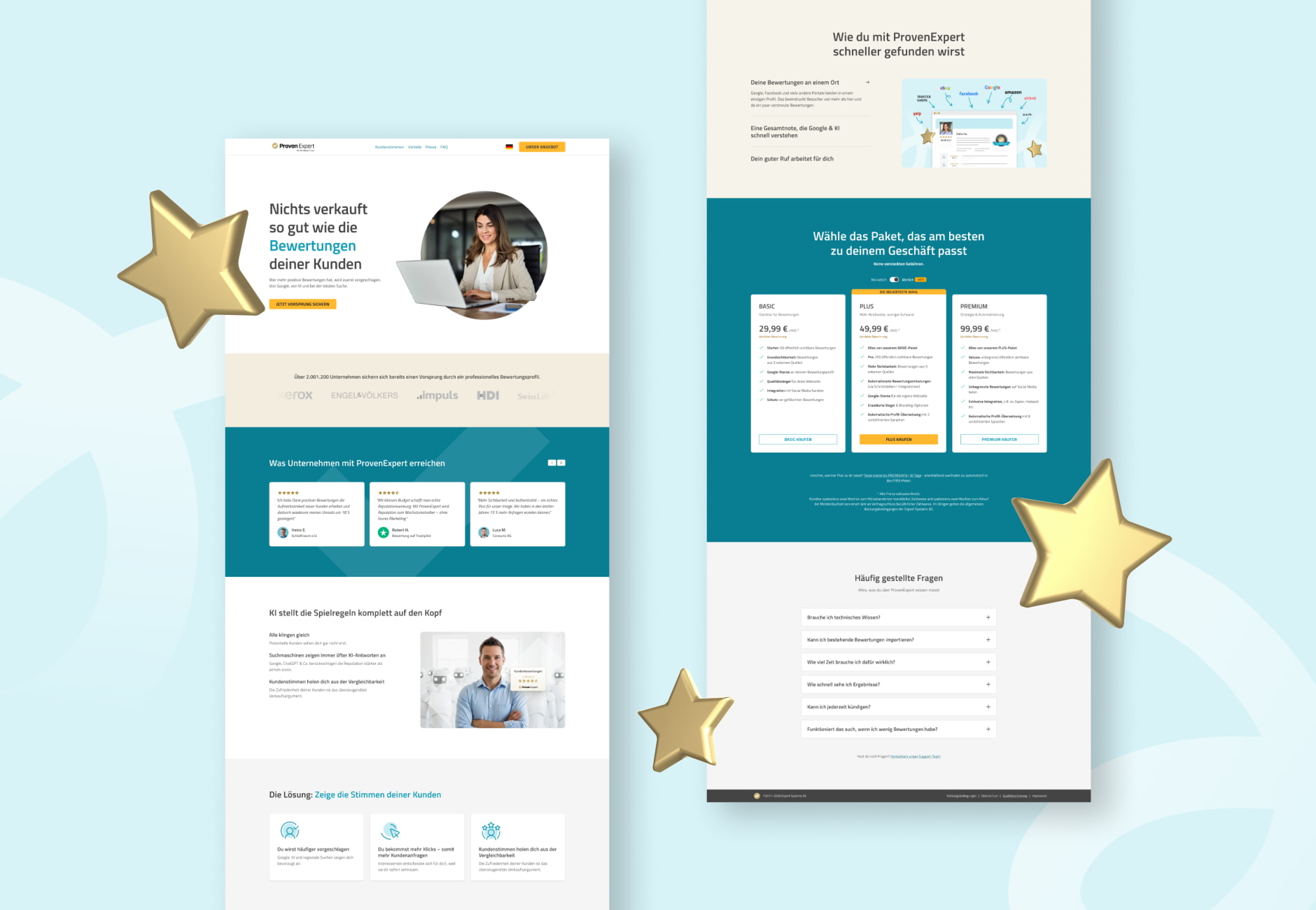
Two full desktop layouts of the landing page side by side — upper sections on the left, pricing and FAQ on the right.

What I'd do differently

Two of the last items to land were the final testimonial selection and the logos for the customer banner. Both depended on an alignment between Content and Sales that I was tracking rather than driving. Next time I'd join that conversation from day one instead of waiting for the output to come back to me — and I'd own the cross-team alignment myself where it touches the design.